How to bulk save WhatsApp contacts to Google Contacts
By Ayaan Motiwala · Published · Updated · Editorial review required after material product changes
Bulk contact saving has two separate jobs: discovering numbers that WhatsApp Web actually displays and creating valid contacts without duplicating what is already in Google Contacts. LeadSync version 1.3.0 performs both jobs in the browser without using CSV as an intermediate step.
What is verified in version 1.3.0?
| Behavior | Verified implementation | Boundary |
|---|---|---|
| List discovery | Chat list, Group info drawer, and opened full-member modal | Only rendered phone-number text is discoverable |
| Long-list scanning | Virtualized lists are scrolled with mutation-based row collection | A scan has an eight-minute safety ceiling |
| Duplicate checks | Google Contacts and local save history are checked | Results depend on numbers that can be normalized |
| Google creation | Contacts are submitted in batches of up to 200 | Google quotas and network responses still apply |
| Rate limiting | HTTP 429 responses use retry and exponential backoff | Retries are finite and cannot guarantee completion |
| Paid quota | Paid accounts are not capped by LeadSync's 35-contact free quota | Unlimited is a commercial quota, not a performance guarantee |
Evidence: the published LeadSync 1.3.0 package was inspected on 7 September 2026. Google documents the People API batchCreateContacts method and 200-contact request limit. See LeadSync security and data flow for permission boundaries.
How to save a large visible list
- 1
Open the complete source list
For a group, open Group info and then the full member list. A collapsed preview may expose only a small subset.
- 2
Connect the destination account
Confirm that LeadSync is connected to the exact Google account where the contacts should be created.
- 3
Choose naming and country settings
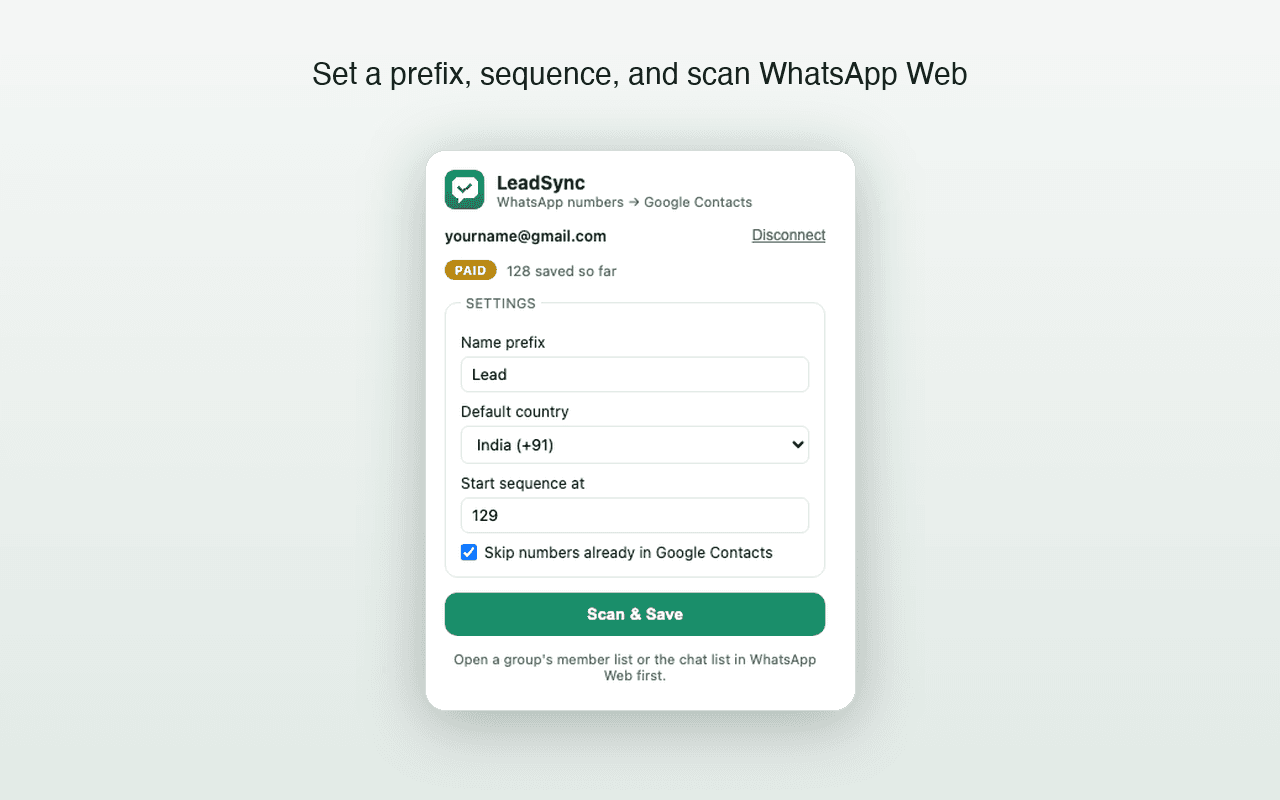
Set a useful prefix, starting sequence, and default country before saving. Country selection affects numbers that do not already include an international prefix.
- 4
Run Scan & Save without closing the list
Keep WhatsApp Web open while LeadSync moves through the virtualized list, normalizes candidate numbers, checks duplicates, and creates contacts.
- 5
Review before repeating
Check scanned, duplicate, saved, and failed counts. Verify a sample at contacts.google.com and rerun only if needed; confirmed numbers are retained in local duplicate history.
How do I save 1,000 contacts automatically?
Use a paid account, open the complete WhatsApp Web list, and run Scan & Save. The published extension can batch Google contact creation, but LeadSync has not yet published a controlled 1,000-contact completion result. Large lists may require more than one run if the scan safety limit, WhatsApp rendering, authentication, connectivity, or Google rate limits interrupt the process.
This distinction matters: “unlimited saves” means LeadSync does not impose a paid contact quota. It does not mean every source exposes 1,000 phone numbers or that external platforms have no technical limits.
When a file-based method is better
Use CSV or VCF when you need a portable file, manual review before import, custom columns, or a destination other than Google Contacts. Use direct saving when Google Contacts is already the destination and avoiding a separate export/import step matters. See the method comparison for the trade-offs.
Frequently asked questions
Can LeadSync save 1,000 WhatsApp contacts automatically?
A paid LeadSync plan does not impose a contact-count quota, and version 1.3.0 creates Google Contacts in batches of up to 200. However, a controlled 1,000-contact end-to-end benchmark has not yet been completed, so LeadSync does not promise that 1,000 contacts will finish in one scan or within a specific time.
Can LeadSync bulk save members from a WhatsApp group?
Yes, when the group's member list is opened in WhatsApp Web. LeadSync can scan phone numbers that WhatsApp Web visibly renders. It cannot reveal numbers shown only as saved names or numbers that WhatsApp hides.
Does LeadSync create duplicate Google Contacts?
LeadSync compares normalized numbers with the connected Google Contacts account and its local save history before creating new contacts. Matching numbers are skipped. Users should still review results because number formatting and incomplete source data can affect any automated comparison.
Does unlimited mean there are no technical limits?
No. Unlimited describes LeadSync's paid product quota. WhatsApp Web rendering, the eight-minute scan safety limit, browser performance, network conditions, Google API quotas, and retry behavior can still affect a large run.
Try the workflow with 35 free saves
Test discovery, normalization, duplicate handling, and Google Contacts sync on your own list before selecting a paid plan.