The free WhatsApp contact saver for Google Contacts
LeadSync saves WhatsApp Web numbers straight into your Google Contacts — free for your first 35 contacts, no card required. Install the Chrome extension, connect Google, and your leads sync to your phone automatically.
Quick answer
Yes — LeadSync is free for your first 35 contacts. Install the free Chrome extension, open WhatsApp Web, and hit Scan & Save; new numbers appear in your Google account and sync to your phone. No credit card needed to start.
What’s in the free tier
- Save up to 35 contacts, completely free
- Saves straight to Google Contacts (no CSV)
- Automatic duplicate detection
- Custom name prefix & auto-sequencing
- Read-only, on-device scanning
- Syncs to your phone automatically
Need to save more than 35? One-time plans start at ₹499 →
From WhatsApp chat to Google Contact in four steps
No manual copy-pasting, no spreadsheets — install once and scan.
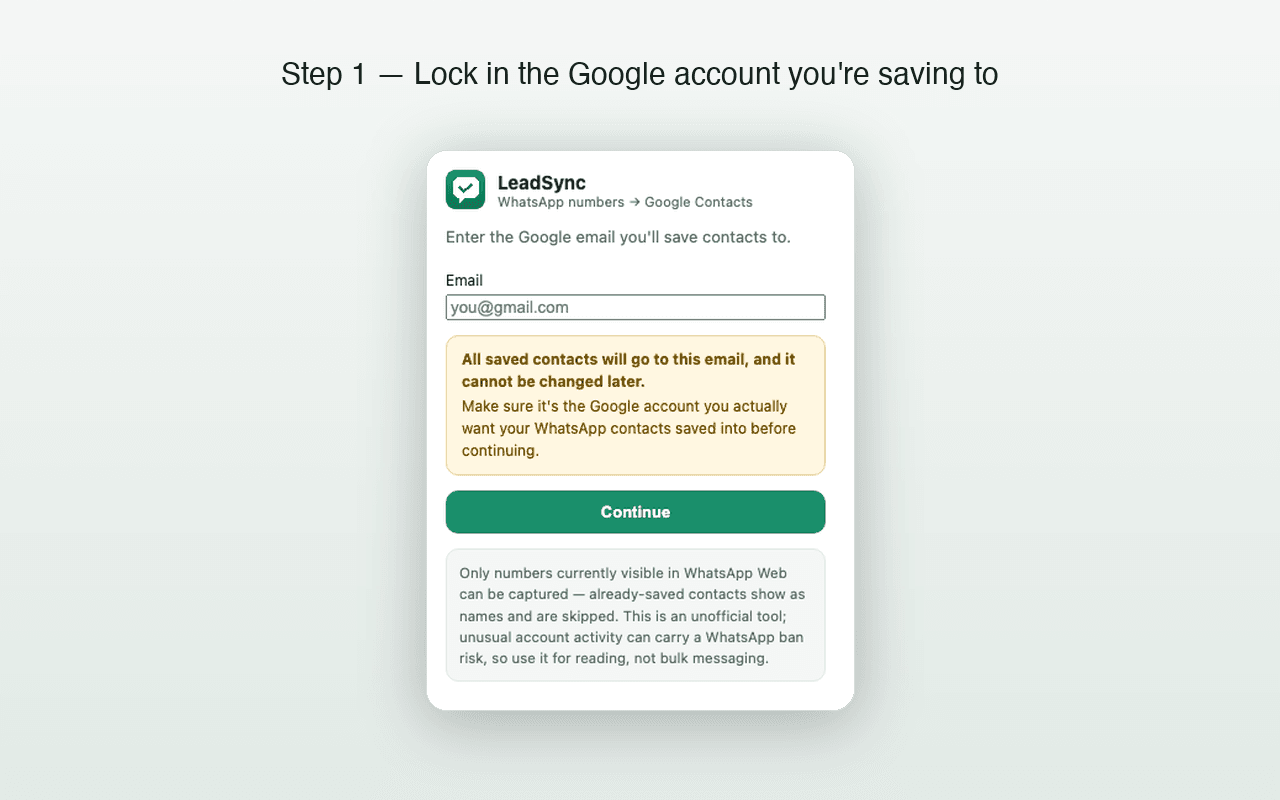
- 1
Install LeadSync
Add the free extension to Chrome and open WhatsApp Web.
- 2
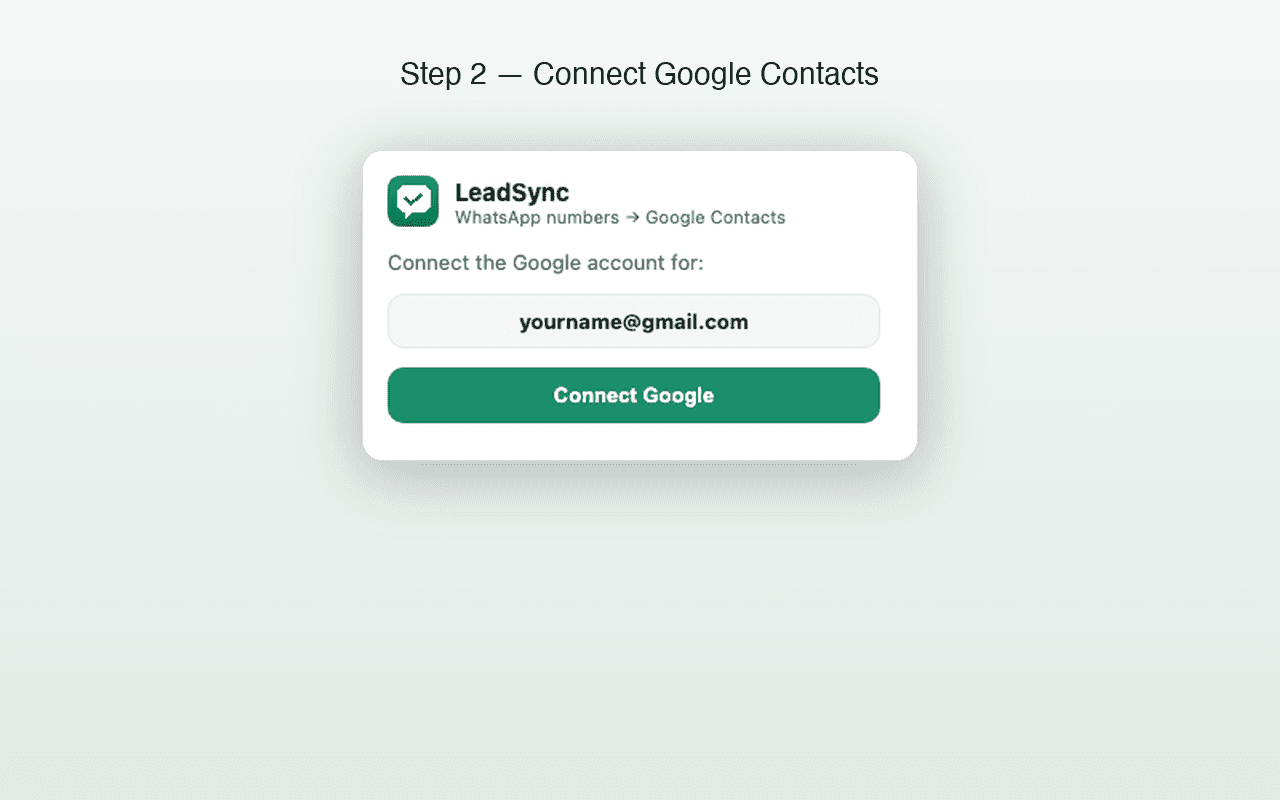
Connect your Google account
Sign in to the Google account where contacts should be saved.
- 3
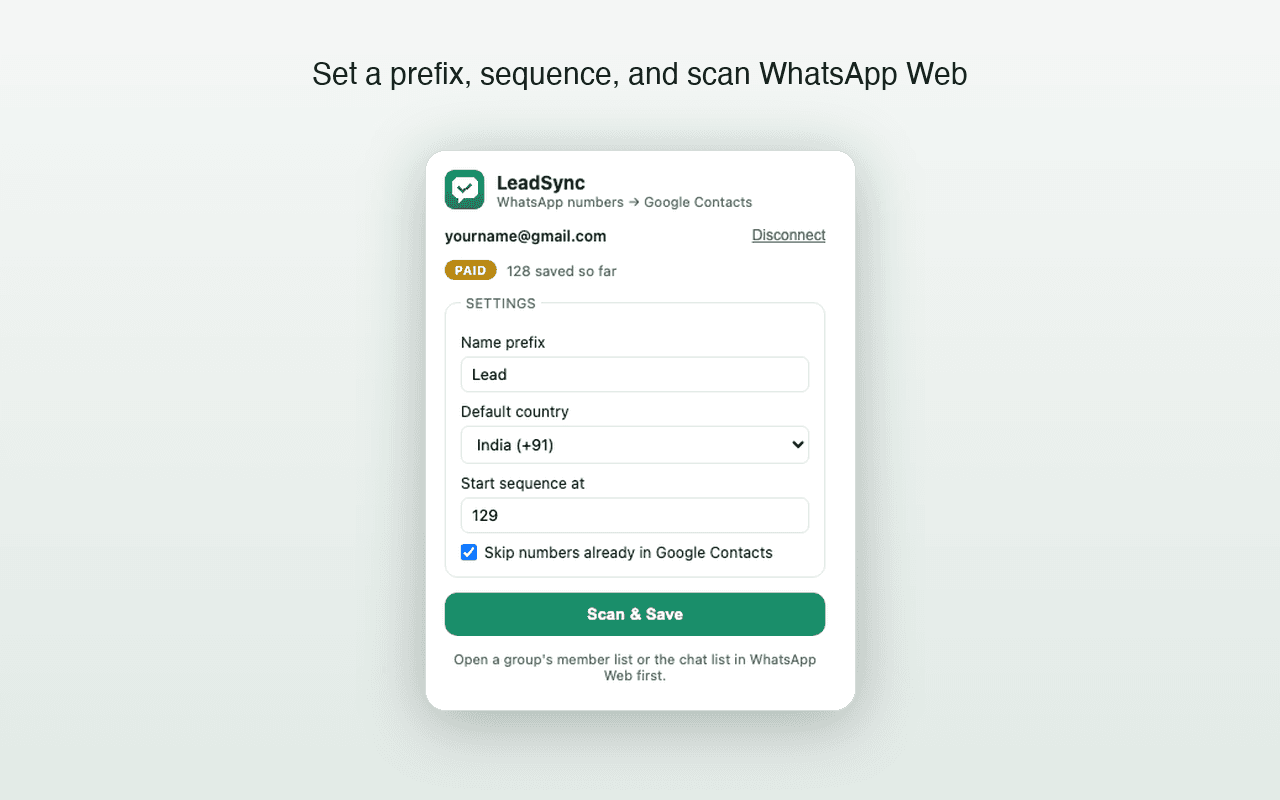
Open your chat list, hit Scan & Save
LeadSync scans the open chat list or group-member list and saves the new numbers it can see.
- 4
New numbers appear in Google Contacts
They sync to your phone automatically — nothing to import.
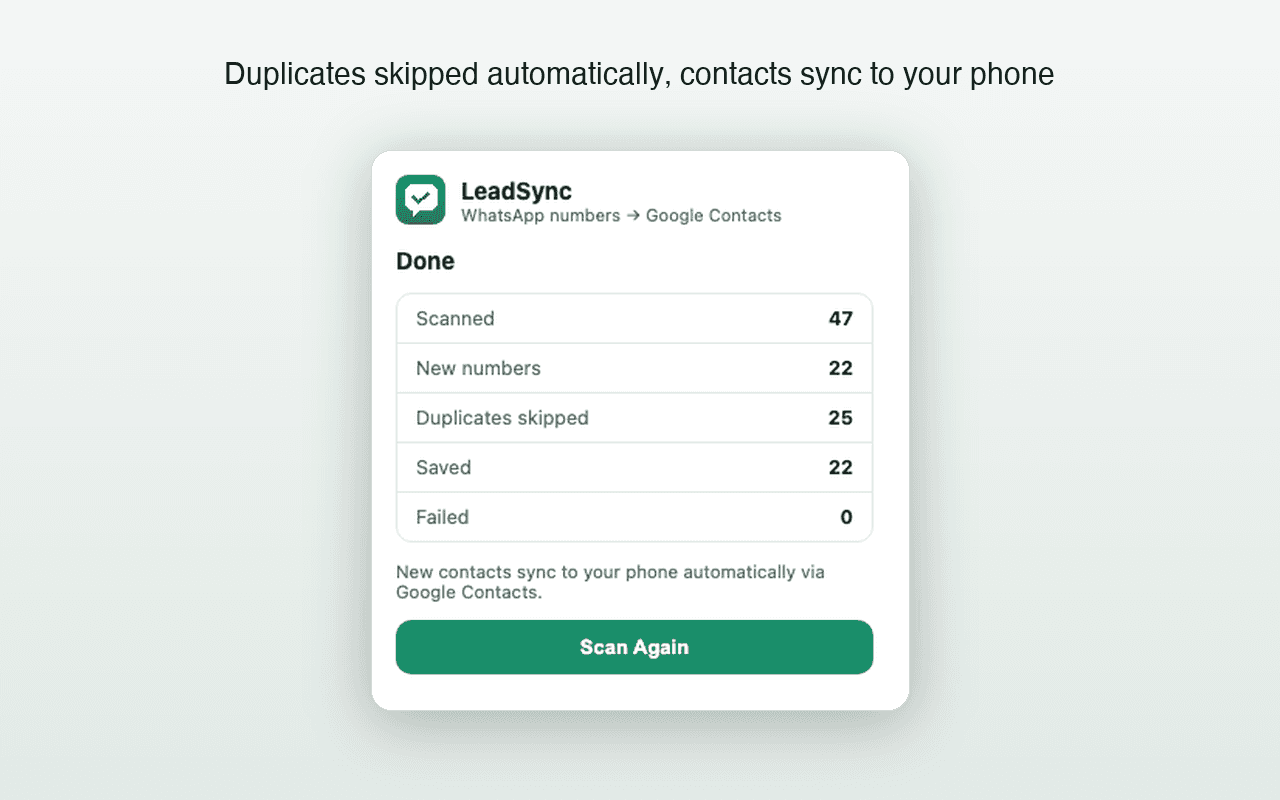
Version 1.3.0 scans the WhatsApp Web chat list or an opened group-member list. It can save only phone numbers that WhatsApp Web renders visibly.
Is there a free version?
Yes — you can save up to 35 contacts for free, with no card required. One-time paid plans start at ₹499 for unlimited saves.
Does my WhatsApp data get sent to your servers?
No. All scanning happens locally in your browser. Numbers go only to your own Google Contacts via Google's own API, using your own Google sign-in. We don't operate servers that receive, store, or process your contacts or WhatsApp data.
Is LeadSync affiliated with WhatsApp or Google?
No. LeadSync is an independent, unofficial tool and is not affiliated with, endorsed by, or connected to WhatsApp Inc., Meta Platforms, or Google LLC.
How do the 5 / 7 / 10-account plans work?
Pick a plan, then for each account enter its Google email and the WhatsApp number it will be used with, and pay once. Every account unlocks immediately. Each account is locked to one WhatsApp number, so choose the plan whose account count matches how many numbers you run.
Do the saved contacts really sync to my phone?
Yes. Because contacts are written into Google Contacts (not exported to a file), any phone signed in to that Google account — Android or iPhone — receives them through normal Google contact sync.
Will it create duplicate contacts?
No. Before saving, LeadSync checks the numbers already in your Google Contacts and skips any that match, so you only ever add what's genuinely new.
Does this work for WhatsApp group chats?
Yes. In version 1.3.0, open a group's member list in WhatsApp Web and choose Scan & Save. LeadSync scrolls the rendered member list and saves visible phone numbers that are not already in the connected Google Contacts account. It cannot recover numbers WhatsApp displays only as saved names or otherwise does not render.
Can I get a refund?
Yes — if LeadSync doesn't work as described, you can request a full refund within 3 days of payment. See our Refund Policy for details.
Looking for something more specific? 170 questions answered · Documentation · Privacy & permissions
Turn WhatsApp chats into Google Contacts — free to start.
Install LeadSync, connect Google, and let your leads sync to your phone automatically.
35 contacts free · 3-day refund on paid plans