Product documentation
How LeadSync saves WhatsApp numbers to Google Contacts
LeadSync is a Chrome extension for saving visible, unsaved phone numbers from your WhatsApp Web chat list or an opened group-member list directly to your Google Contacts. It is not a CSV exporter and cannot recover numbers WhatsApp Web does not visibly render.
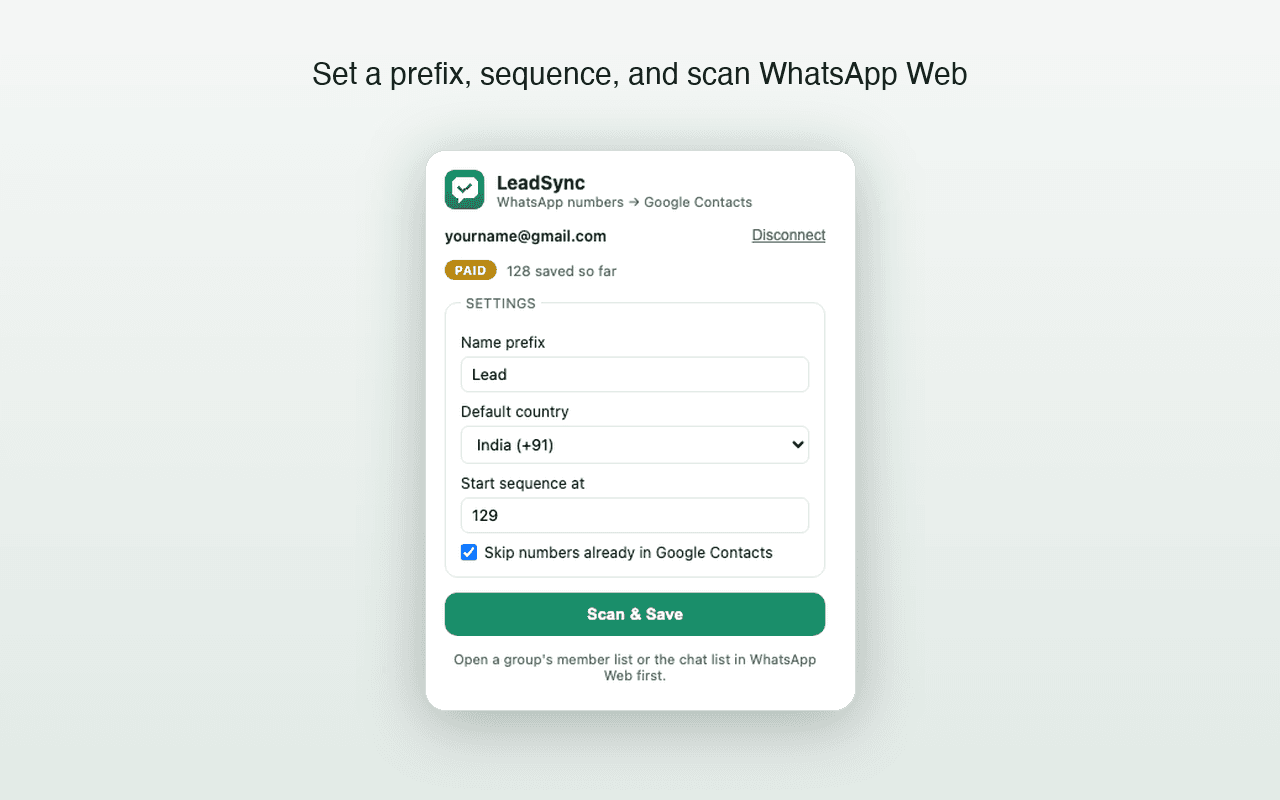
What LeadSync does
Direct Google Contacts saving
New numbers are saved to the Google account you connect, so they can sync through Google Contacts rather than waiting in a file to import.
Duplicate detection
Before saving, LeadSync checks the connected Google Contacts account and skips numbers that already exist there.
Custom contact naming
You can use a name prefix and automatic sequence so new contacts are easier to recognize later.
Read-only scanning
LeadSync reads the visible numbers needed for this workflow. It does not send WhatsApp messages on your behalf.
Setup in four steps
- 1Install LeadSync from the Chrome Web Store.
- 2Open WhatsApp Web in Chrome and connect the Google account where contacts should be saved.
- 3Open the chat list or a group's member list and choose Scan & Save.
- 4Find new contacts in Google Contacts; they sync to devices signed in to that Google account.
Privacy and current limits
Contact scanning runs in your browser. New contacts are written to your own Google Contacts through the Google People API using your own Google sign-in. LeadSync does not operate servers that receive, store, or process your WhatsApp contact data.
The free tier saves up to 35 contacts. Version 1.3.0 works with numbers visible in the WhatsApp Web chat list or an opened group-member list. Read the full Privacy Policy or contact Support before installing if you need help with a specific workflow.
Large lists and paid unlimited saves
Paid plans have no LeadSync contact-count quota. Version 1.3.0 submits Google Contacts in batches of up to 200 and retries temporary Google rate-limit responses. WhatsApp Web rendering, the eight-minute scan safety ceiling, browser performance, and Google API limits can still affect a large run.
A controlled 1,000-contact end-to-end benchmark has not yet been completed, so LeadSync does not promise a specific completion time or that every list of 1,000 will finish in one scan. Read the bulk saving and 1,000-contact guide.
Frequently asked questions
What does LeadSync save?
LeadSync saves phone numbers visible in your WhatsApp Web chat list or an opened group-member list as contacts in the Google account you connect. It skips numbers already in that Google Contacts account.
Does LeadSync support WhatsApp groups?
Yes. Version 1.3.0 scans an opened group-member list and saves visible phone numbers that are not already in Google Contacts. It cannot recover numbers WhatsApp Web does not render.
Where does contact data go?
Scanning happens in your browser. New contacts are sent to your own Google Contacts through the Google People API using your Google sign-in. LeadSync does not operate servers that receive, store, or process contact data.
Will saved contacts appear on my phone?
Yes, when your Android phone or iPhone is configured to sync the same Google account. This is standard Google Contacts synchronization.
Can LeadSync save 1,000 contacts automatically?
Paid plans have no LeadSync contact-count quota and version 1.3.0 creates contacts in batches of up to 200. A controlled 1,000-contact end-to-end benchmark is still pending, so completion in one scan or within a specific time is not promised.