Auto WhatsApp Number Saver: How It Works and How to Set One Up
By Ayaan Motiwala · Published · Updated · Editorial review required after material product changes
If you spend any part of your day saving phone numbers from WhatsApp Web into your contacts, you already know how tedious it is. An auto WhatsApp number saver eliminates that entire process — scanning unsaved numbers in your chats and writing them straight to Google Contacts so they sync to your phone automatically.
What is an auto WhatsApp number saver?
An auto WhatsApp number saver is a tool — typically a Chrome extension — that automatically detects unsaved phone numbers visible in your WhatsApp Web interface and saves them to your contacts without any manual typing. Instead of opening each chat, copying the number, and creating a contact entry one by one, the tool does it in a single click.
LeadSync is an auto WhatsApp number saver that goes one step further: it saves directly into Google Contacts via the Google People API, so new numbers sync to your Android or iPhone immediately — no CSV file to import, no spreadsheet to manage.
Why manual WhatsApp number saving doesn’t scale
Manually saving WhatsApp numbers creates three real problems:
- It repeats the same steps. Each contact requires you to find and copy the number, create an entry, name it, and save it. Total time varies by person and device; no benchmark is assumed here.
- Duplicates creep in. Without an automatic check, you’ll inevitably save the same number twice — creating messy, duplicate entries in your contact list.
- CSV exports aren’t contacts. Other tools export a spreadsheet you then have to import manually. The numbers sit in a file, not in your phone’s contact list where they’re actually useful.
How LeadSync works — step by step
LeadSync is a free Chrome extension. Here’s exactly how the automatic WhatsApp number saver workflow works:
- 1
Install LeadSync
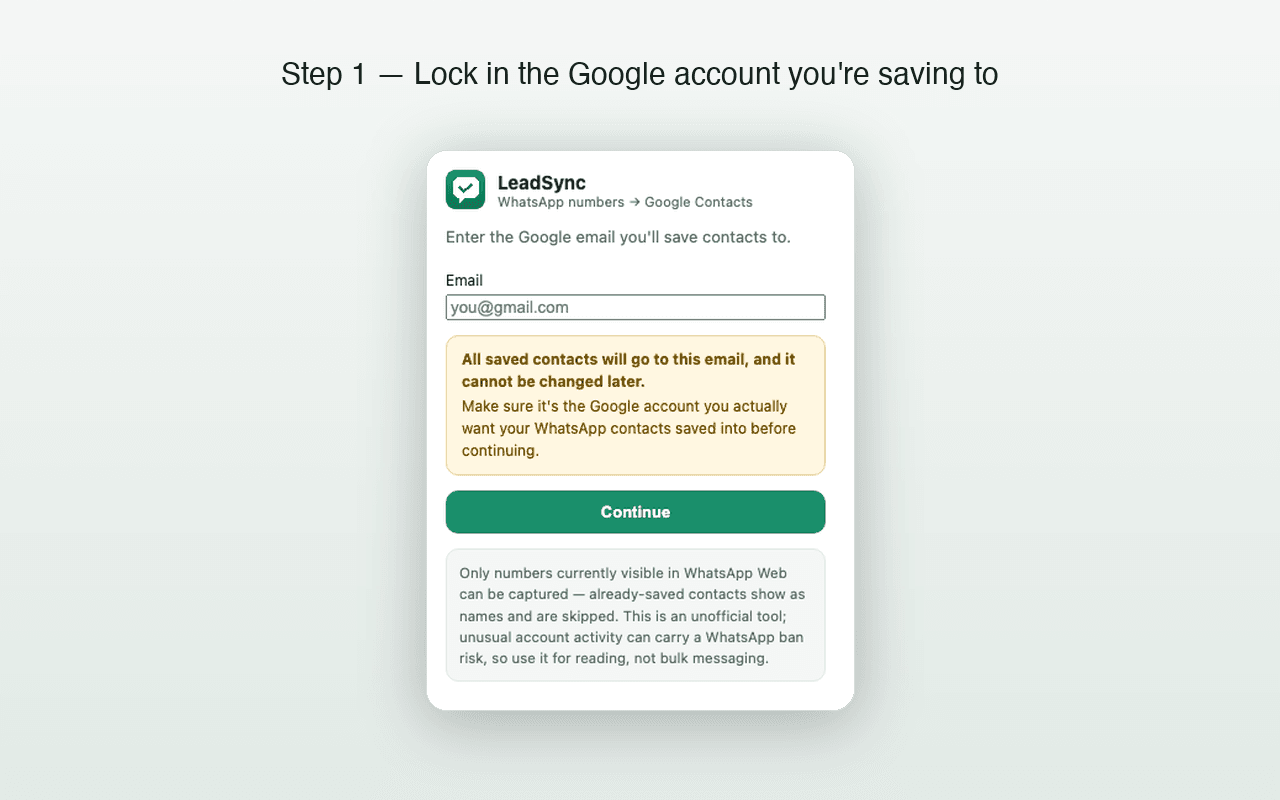
Add the free extension from the Chrome Web Store and open WhatsApp Web in Chrome.
- 2
Connect your Google account
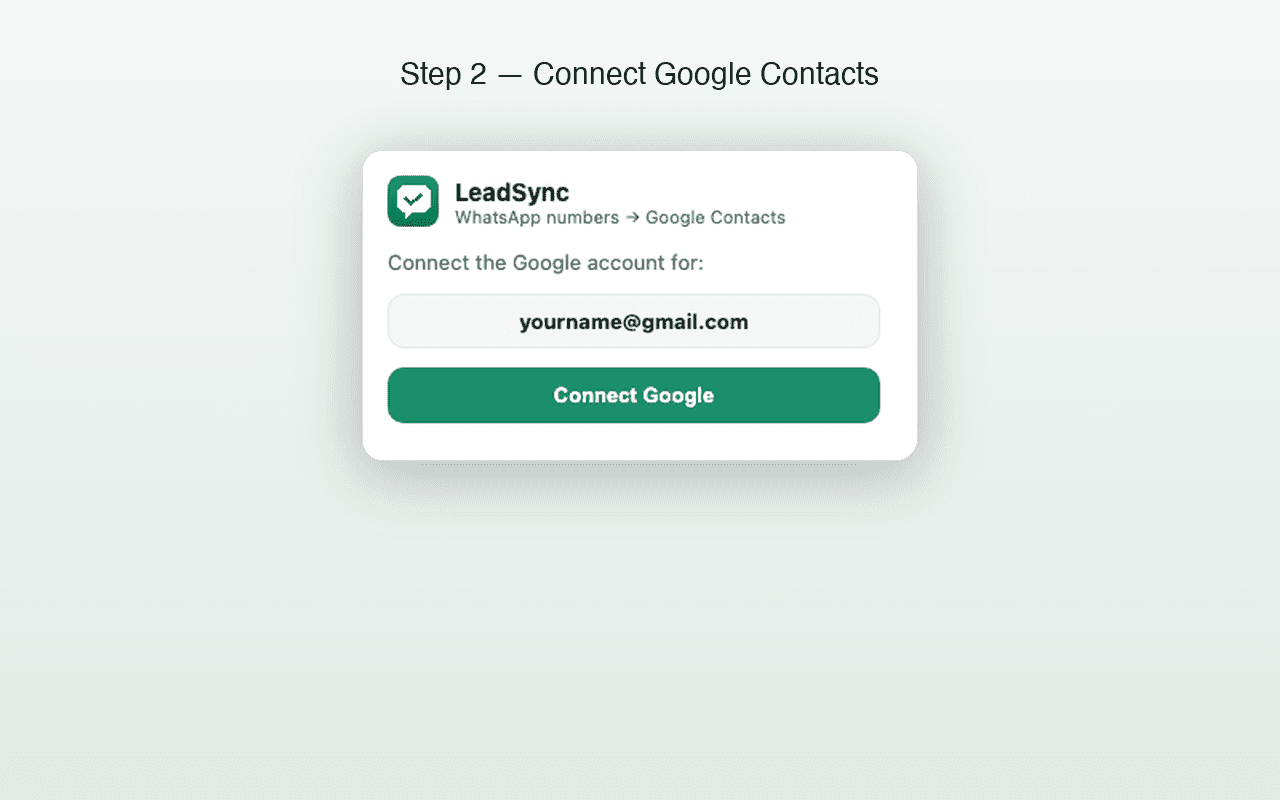
Sign in to the Google account where you want contacts saved. LeadSync uses the Google People API — the same API Google's own apps use.
- 3
Open your chat list, hit Scan & Save
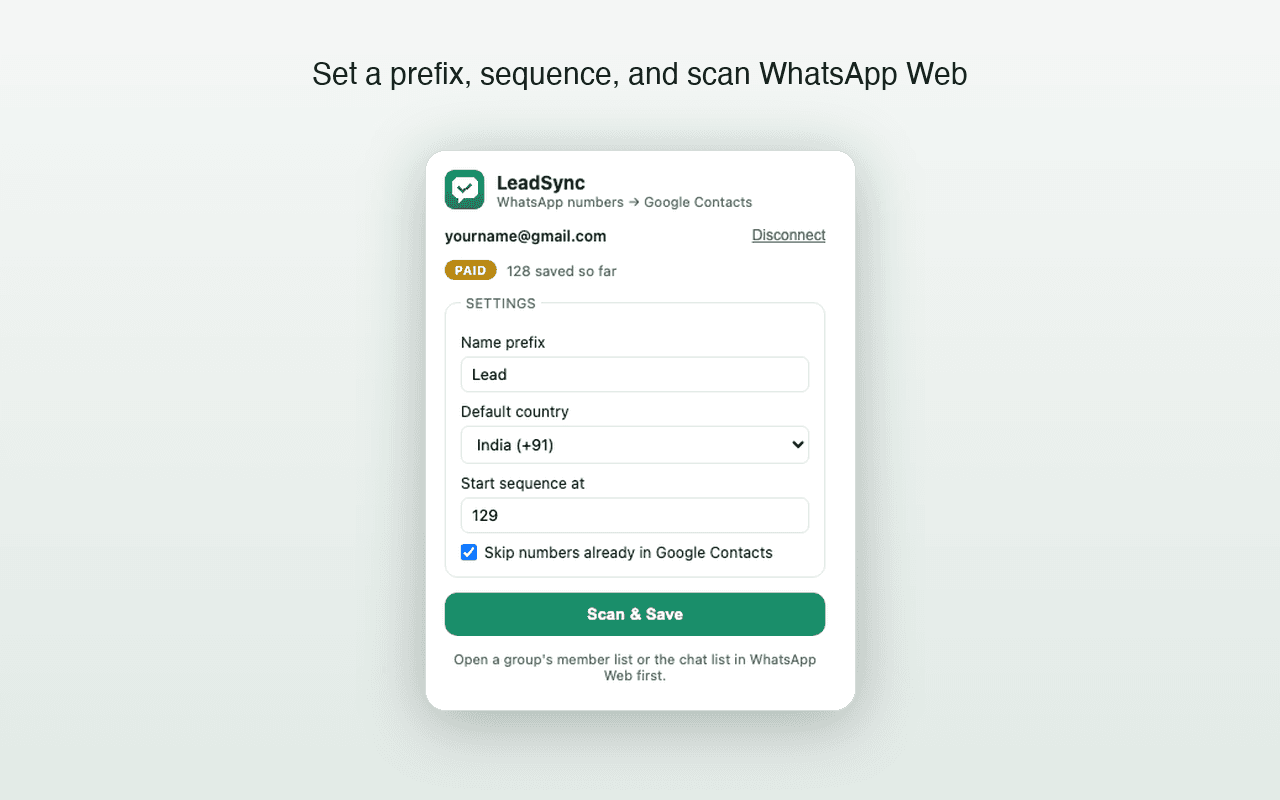
LeadSync reads the phone numbers visible on your WhatsApp Web screen, checks which ones already exist in your Google Contacts, and saves only the new ones — with your custom name prefix and an auto-incrementing sequence number.
- 4
Contacts sync to your phone
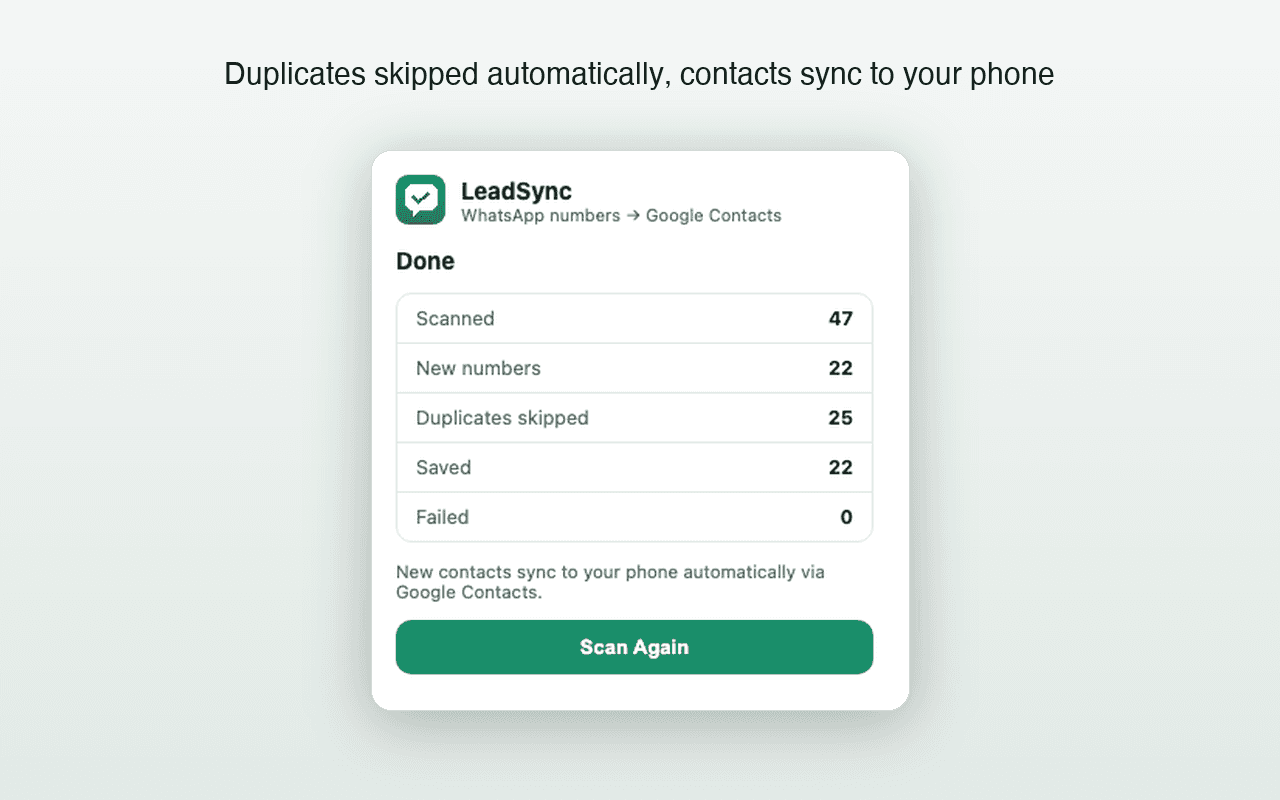
Because contacts are written into Google Contacts (not exported to a file), any phone signed in to that Google account — Android or iPhone — receives them through normal Google contact sync. Nothing to import.
What LeadSync can — and can’t — do
| Capability | Status |
|---|---|
| Save unsaved chat-list numbers | ✅ Supported |
| Auto duplicate detection | ✅ Supported |
| Custom name prefix + sequencing | ✅ Supported |
| Direct to Google Contacts | ✅ Supported |
| Phone sync (Android & iPhone) | ✅ Automatic |
| Opened group-member list scanning | ✅ Supported in 1.3.0 |
Group scanning is limited to phone numbers visibly rendered in the opened WhatsApp Web member list; LeadSync cannot reveal hidden numbers.
Is it free?
Yes — LeadSync is free for your first 35 contacts, with no credit card required. One-time paid plans start at ₹499 for unlimited saves, bound to one Google account and one WhatsApp number each.
Keep reading
Frequently asked questions
What exactly is an auto WhatsApp number saver?
It's a browser tool that scans unsaved phone numbers on WhatsApp Web and writes them into your contacts automatically — no manual typing required. LeadSync is one such tool, and it saves directly to Google Contacts instead of exporting a file.
How does LeadSync's automatic scanning work?
When you open your chat list on WhatsApp Web and click Scan & Save, LeadSync reads every phone number visible on screen. It compares each one against your existing Google Contacts and only saves what's genuinely new — with your chosen name prefix and an auto-incrementing sequence number.
Can LeadSync extract numbers from WhatsApp groups?
Yes. Version 1.3.0 scans an opened WhatsApp Web group-member list and saves visible phone numbers after duplicate checks. It cannot recover numbers WhatsApp Web does not render.
Does it cost anything to try?
Your first 35 contacts are completely free — no credit card needed. After that, one-time paid plans start at ₹499 for unlimited saves.