Best WhatsApp Contact Saver Chrome Extension in 2026 — An Honest Look
By Ayaan Motiwala · Published · Updated · Editorial review required after material product changes
Search the Chrome Web Store for “WhatsApp contact saver” and you’ll find dozens of extensions. Most fall into the same trap: they export numbers to a CSV file you still have to import somewhere. This guide breaks down the different types, what actually matters when choosing one, and where LeadSync fits.
Disclosure: We built LeadSync, so we’re obviously biased. But we’ll be honest about our limitations too — because trust matters more than a sale.
Three types of WhatsApp contact saver extensions
Not all contact savers work the same way. Here’s how they break down:
Type 1
CSV/Excel exporters
Pros
- Simple — click a button, get a spreadsheet
- Works with any contact system (import the file)
Cons
- Numbers sit in a file, not your contacts
- You still have to import the CSV manually
- No automatic duplicate detection
- Some upload data to external servers
Type 2
vCard generators
Pros
- Creates a .vcf file you can open on your phone
- Slightly easier to import than CSV
Cons
- Still a file — still requires manual import
- Doesn't sync across devices automatically
- No duplicate detection
- Often limited to one number at a time
Type 3
Direct-to-Google-Contacts savers
Pros
- No CSV, no import — contacts go straight to Google
- Sync to your phone (Android + iPhone) automatically
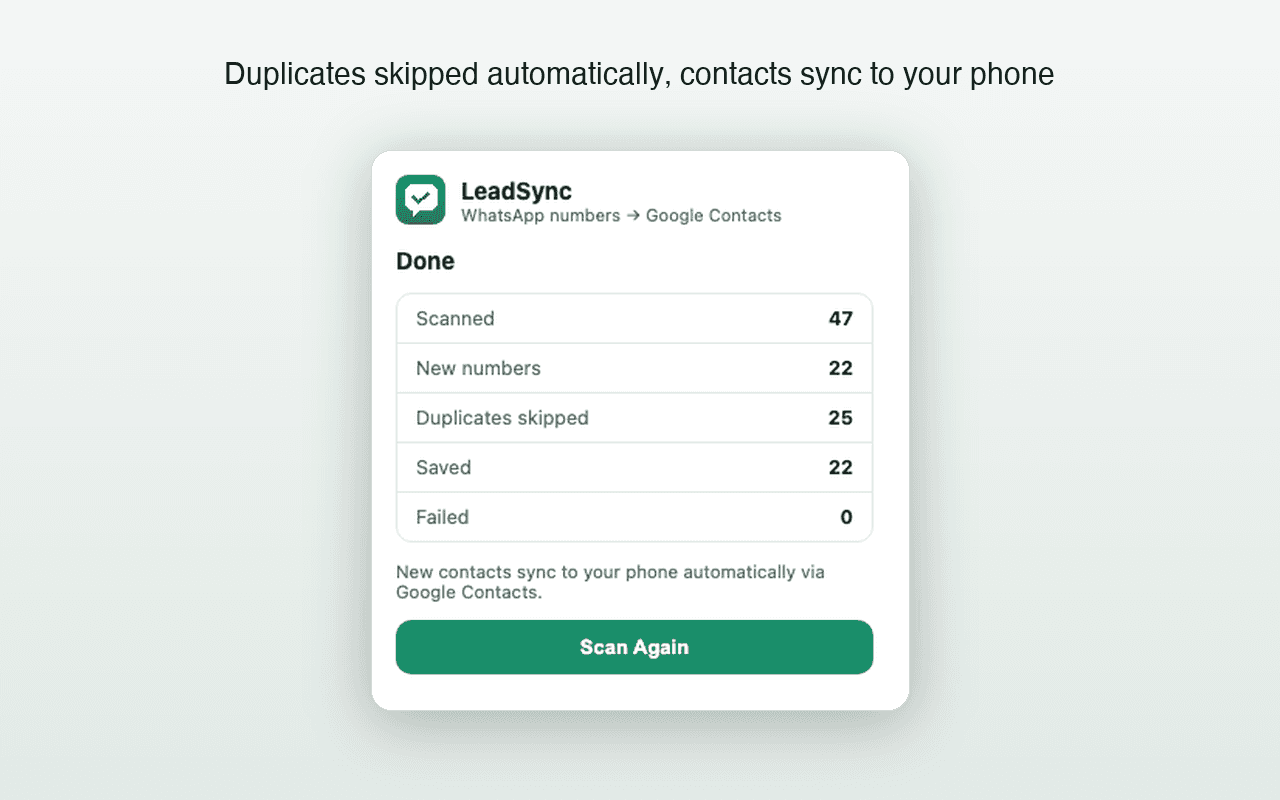
- Duplicate detection built-in
- Custom naming and sequencing
Cons
- Requires Google sign-in (OAuth)
- Chrome-only (no Firefox/Safari)
LeadSync is a Type 3 extension. We believe the “last mile” — actually having numbers on your phone, not in a file — is what matters most.
What to look for in the best WhatsApp contact saver
| Criteria | Why it matters |
|---|---|
| Saves to Google Contacts | This is the difference between 'numbers in a file' and 'contacts on your phone'. Without this, you still have manual work to do. |
| Automatic duplicate detection | Without it, scanning the same chat list twice creates duplicate entries. You end up with a messy contact list. |
| On-device processing | Your WhatsApp conversations are private. The extension should scan locally, not upload data to a third-party server. |
| Custom naming | Raw phone numbers are useless in a contact list. A prefix like 'WA-Lead 001' makes them searchable and sortable. |
| Phone sync | The whole point is having contacts on your phone. If you still have to import a file, the tool hasn't finished the job. |
| Honest capability claims | Many extensions claim 'group extraction' or 'bulk export' but don't deliver. Look for tools that are specific about what they do. |
How LeadSync compares to the alternatives
We wrote a detailed side-by-side breakdown of automatic saving vs manual saving vs CSV exporters — covering speed, duplicates, privacy, and the “last mile” problem of getting contacts onto your phone. Read the full comparison →
What LeadSync can’t do — honestly
No tool is perfect. Here are LeadSync’s real limitations:
- No hidden-number recovery — group-member scanning is supported, but LeadSync can save only numbers WhatsApp Web visibly renders in the opened member list.
- Chrome only — No Firefox, Safari, or mobile app. It works on Chromium browsers (Edge, Brave, Opera) but we only officially support Chrome.
- No CRM integration — Contacts go to Google Contacts. If you use a CRM, you can import from Google, but there’s no direct Salesforce/HubSpot connector.
- Depends on WhatsApp Web’s layout — If WhatsApp changes their page structure, LeadSync may break until we patch it. We do this as fast as we can, but can’t guarantee zero downtime.
We list these because we’d rather you install knowing exactly what you’re getting. No invented reviews, no overpromised features.
What does it cost?
Free tier
₹0
Save up to 35 contacts, no card required. Full feature access — just a count limit.
Paid plans
From ₹499
One-time payment. Unlimited saves. Locked to specific Google accounts and WhatsApp numbers. 3-day refund policy.
Try the best WhatsApp contact saver — free for 35 contacts
Install LeadSync, connect Google, and see if it fits your workflow. No card, no commitment, no account signup.
Related guides
Frequently asked questions
What makes a WhatsApp contact saver 'the best'?
The best WhatsApp contact saver saves directly to your phone's contact list — not to a file you have to import. It should also detect duplicates, process data on your device (not a remote server), and let you name contacts with a custom prefix.
Why does LeadSync save to Google Contacts instead of a CSV?
A CSV is a halfway solution — you still have to manually import it. By writing directly to Google Contacts via the People API, LeadSync ensures numbers land on your phone (Android and iPhone) automatically through Google's built-in sync.
Is my WhatsApp data private with LeadSync?
Yes. All scanning runs inside your own browser tab. Phone numbers travel from WhatsApp Web to your Google Contacts using your own Google sign-in — LeadSync doesn't operate any server that receives or stores your contact data.
Can I try LeadSync before paying?
Absolutely. Your first 35 contacts are free with no credit card required. Every feature is available on the free tier — the only limit is the contact count.
Does LeadSync support WhatsApp group chats?
Yes. Version 1.3.0 scans an opened WhatsApp Web group-member list and saves visible phone numbers after duplicate checks. It cannot recover numbers WhatsApp Web does not render.