How to Save Unknown WhatsApp Numbers to Google Contacts — Automatically
By Ayaan Motiwala · Published · Updated · Editorial review required after material product changes
You open WhatsApp Web and see dozens of chat threads with unsaved phone numbers — just digits, no names. Saving them one by one into Google Contacts is painful. This guide shows you how to save unknown WhatsApp numbers to Google Contacts automatically using LeadSync, a free Chrome extension that does the entire job in a single click.
The problem: unknown numbers piling up
Every business that runs on WhatsApp — real estate agents, coaches, resellers, recruiters — eventually accumulates a long list of chat contacts that exist only as phone numbers. They’re not in your Google Contacts, so they don’t sync to your phone, and you can’t search for them by name.
The usual solutions are:
- Save each number manually (slow, error-prone, creates duplicates)
- Export to a CSV file (still requires a separate import step)
- Use an auto WhatsApp number saver that writes directly to Google Contacts
LeadSync is the third option. Here’s exactly how to set it up.
Step-by-step: save unknown WhatsApp numbers to Google Contacts
Install the LeadSync Chrome extension
Go to the Chrome Web Store listing and click Add to Chrome. The extension is free — your first 35 contacts cost nothing, no credit card required.
Open WhatsApp Web and connect Google
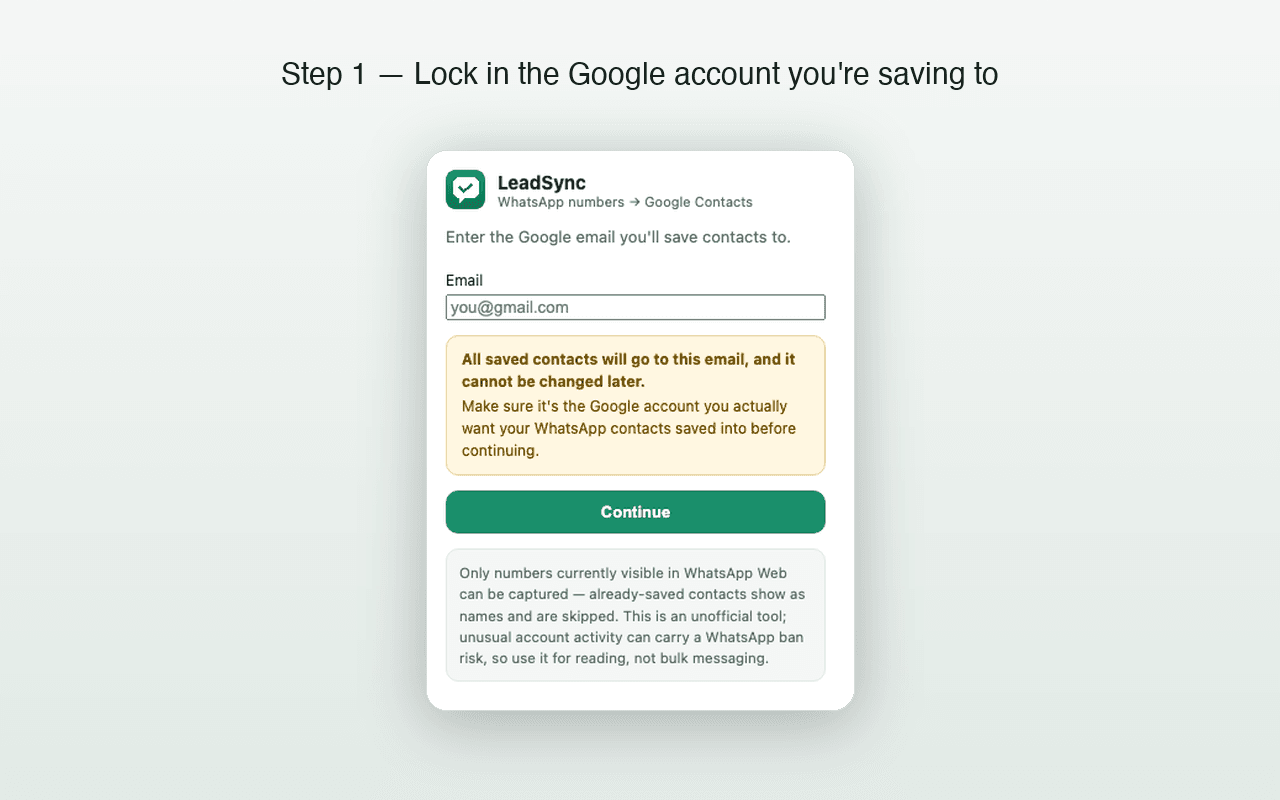
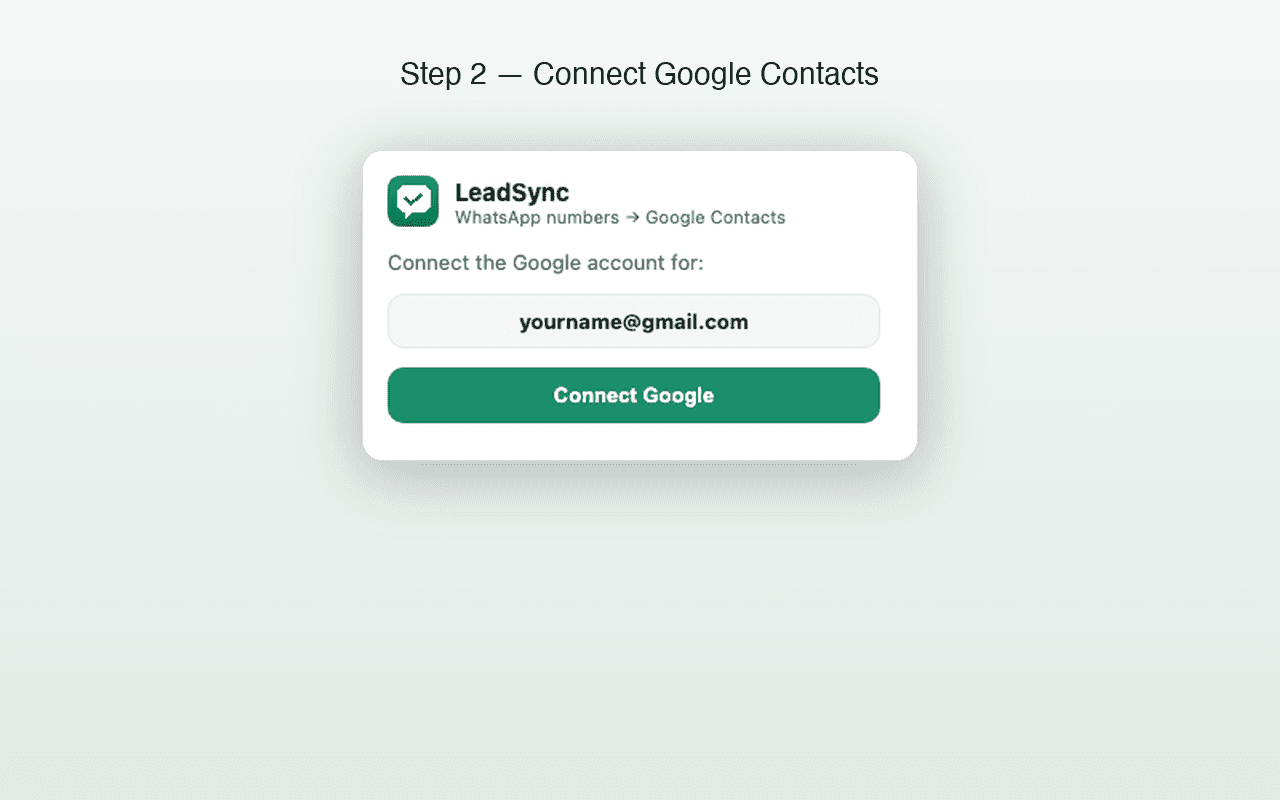
Navigate to web.whatsapp.com in Chrome. Click the LeadSync icon in your extensions bar and sign in to the Google account where you want contacts saved. LeadSync uses the Google People API — the same API Google’s own apps use — so your contacts go directly into your Google account.
Click Scan & Save
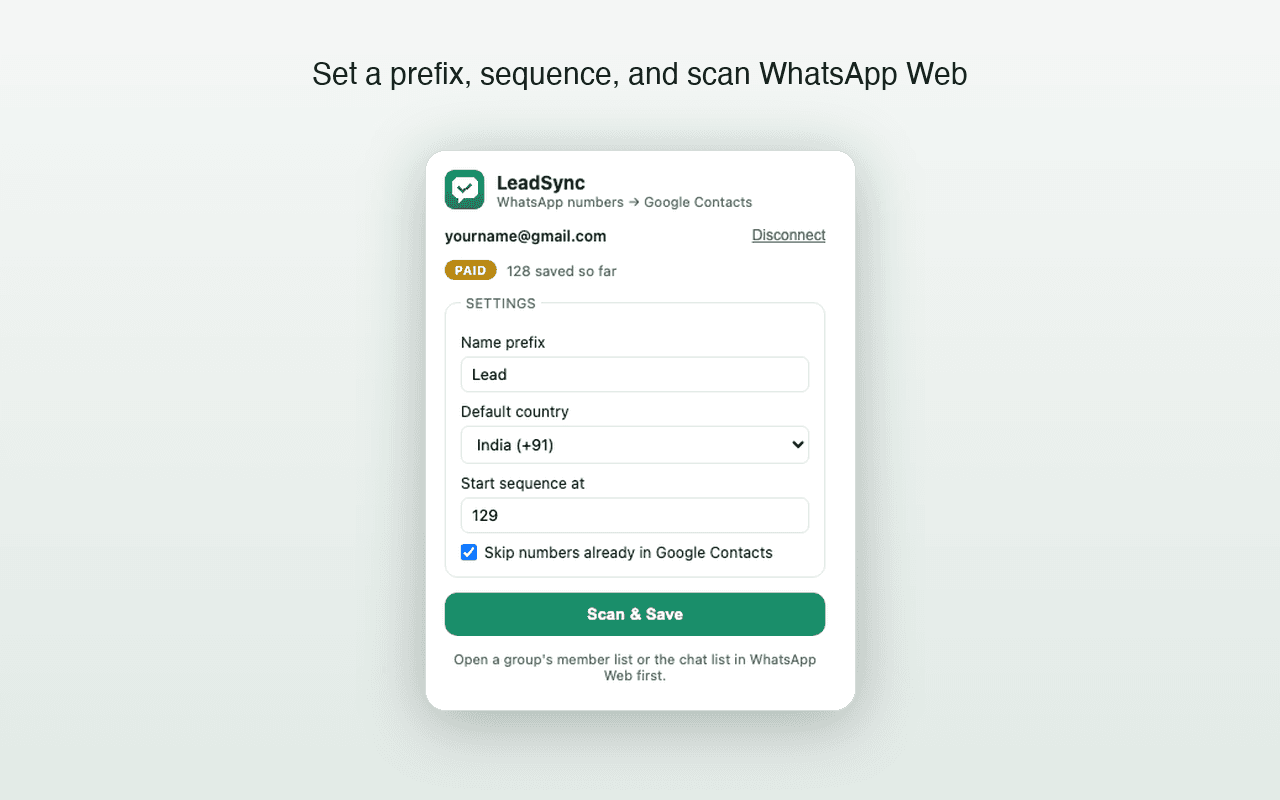
With your WhatsApp Web chat list visible, click Scan & Save in the LeadSync panel. The extension reads every phone number visible on screen, compares them against your existing Google Contacts, and saves only the new ones. Each new contact gets your custom prefix plus an auto-incrementing sequence number (e.g., “Lead 001”, “Lead 002”).
Contacts sync to your phone
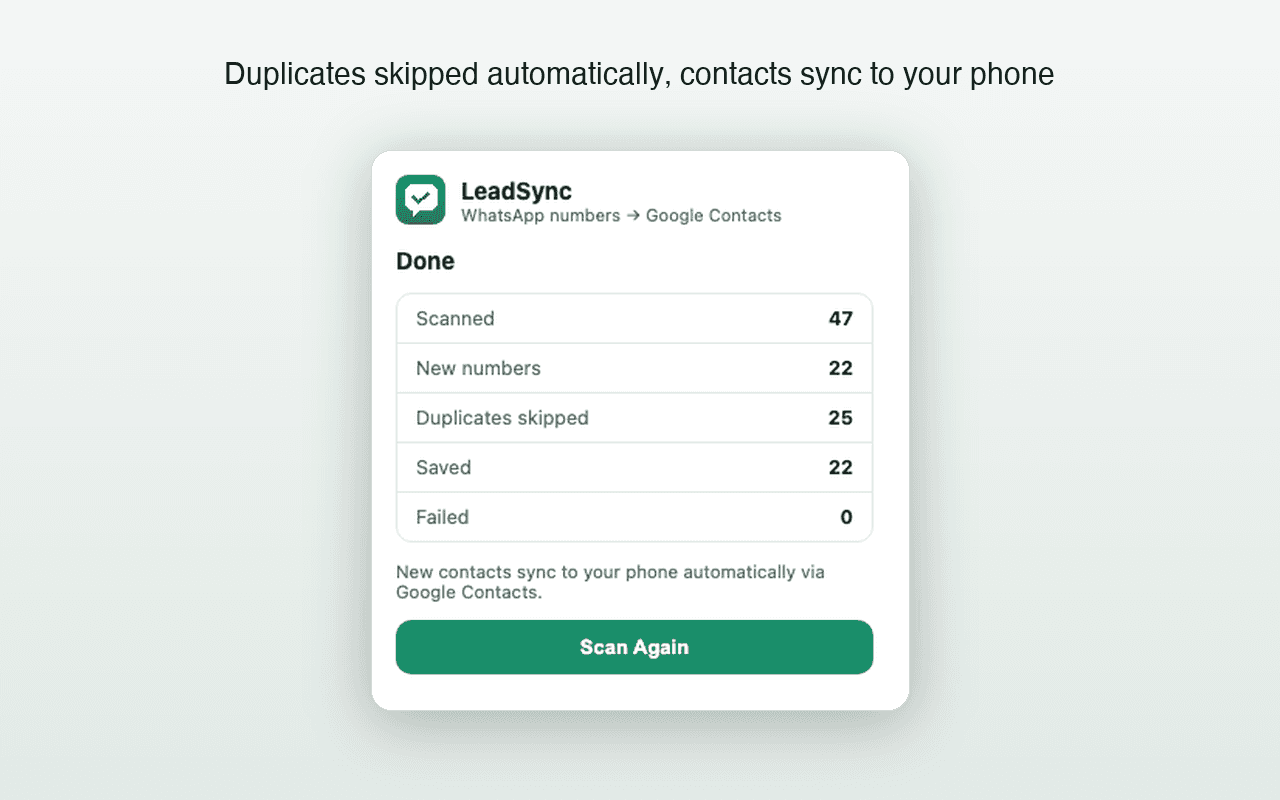
Because contacts are written directly into Google Contacts — not exported to a CSV — any phone signed in to that Google account (Android or iPhone) receives them through normal Google contact sync. Nothing to import, no extra step.
Does this work for WhatsApp group chats?
Yes. Version 1.3.0 scans both the regular WhatsApp Web chat list and an opened group-member list. Choose Scan & Save after opening the list.
LeadSync can save only phone numbers WhatsApp Web visibly renders. Members displayed only as saved names or otherwise hidden cannot be recovered.
What exactly gets saved?
| Field | What goes into Google Contacts |
|---|---|
| Phone number | International format with the correct country code |
| Name | Your custom prefix + auto sequence number (e.g. Expo-Lead 001) |
| Duplicate check | Skipped automatically if the number already exists |
| Source | Only numbers visible in your open WhatsApp Web view |
Is my data safe?
All scanning happens on your device, in your browser. Numbers go directly from WhatsApp Web to your own Google Contacts via Google’s People API using your own Google sign-in. No LeadSync server ever receives, stores, or processes your contacts or WhatsApp data. Read the full Privacy Policy →
Start saving unknown WhatsApp numbers — free for 35 contacts
Install LeadSync, connect Google, and let unsaved chat numbers flow straight to your contacts and your phone.
Related guides
Frequently asked questions
Does LeadSync actually write to Google Contacts?
Yes — it uses the Google People API to create contact entries directly in your Google account. There's no CSV export or manual import involved.
What about WhatsApp group members?
Version 1.3.0 can scan an opened WhatsApp Web group-member list. It saves visible phone numbers that are not already in Google Contacts, but cannot recover numbers WhatsApp Web does not render.
Will the saved numbers appear on my phone?
Yes. Any phone signed in to the same Google account — whether Android or iPhone — receives the new contacts through Google's standard contact sync. No USB cable or file transfer needed.
What if I've already saved some of those numbers?
LeadSync checks every number against your existing Google Contacts before saving. If a number already exists, it's skipped — so you won't end up with duplicate entries.