Business
WhatsApp Business Contact Management Without a CRM
By Ayaan Motiwala · Published · Updated · Editorial review required after material product changes
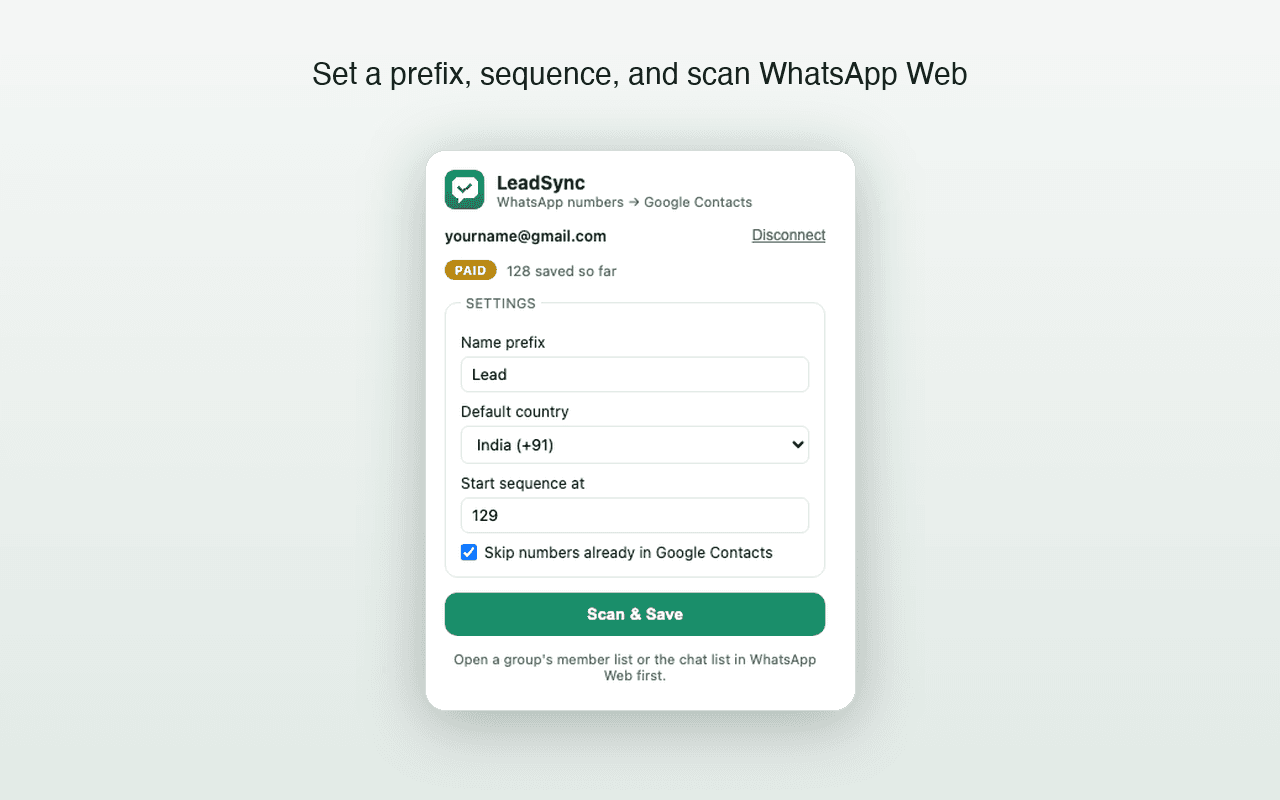
A small business running on WhatsApp accumulates enquiries faster than it organises them. The result, a year in, is a chat list of two hundred conversations where half the counterparties are raw phone numbers and nobody remembers which was the wholesale enquiry. This is a fixable problem with three moving parts, and none of them require buying software.
What labels do, and what they cannot do
WhatsApp Business labels are genuinely useful and widely misunderstood. They are good for pipeline stage — New enquiry, Quoted, Paid, Repeat — and they make a long chat list filterable in seconds.
So labels are the fast layer and the address book is the durable layer. Both, not one.
A structure that works for one person
| Layer | Holds | Survives a lost phone? |
|---|---|---|
| WhatsApp labels | Current pipeline stage, fast filtering | No |
| Google Contacts | Name, number, business, enquiry source, notes | Yes |
| The chat itself | Full conversation history | Only via a chat backup you have tested |
Three layers of WhatsApp Business contact management and what each is for.
The job, then, is to make sure every chat worth keeping has a Google Contacts entry — because that is the only layer that leaves the device.
Pick a naming convention and never deviate
An enquiry saved as 9876543210 is worthless in six months. A naming convention is the cheapest possible CRM, and it works because Google Contacts search is good. Encode what you will later want to search for:
- Source first:
IGfor Instagram,REFfor referral,WALKfor walk-in,GRPfor a group you sourced from. SearchingIGthen shows every lead from Instagram. - Then month:
IG 2610for October 2026. Sorts naturally and lets you see what a month produced. - Then a name or a sequence: the person's name if you learn it, otherwise a number —
IG 2610 004. - Use the Company field for the business name, and the Notes field for what they asked about. Both are searchable and both sync.
- Example:
IG 2610 Rahul — Sharma Textiles, with notesasked about bulk pricing, 200 units.
The discipline matters more than the specific scheme. A consistent mediocre convention beats an elegant one applied half the time.
Clearing the backlog of unsaved enquiries
If you already have a chat list full of unsaved numbers, saving them one at a time through the phone is hours of work. Doing it from WhatsApp Web in one pass is the practical route:
- 1
Open WhatsApp Web on a desktop
Link your WhatsApp Business account as usual. Everything below reads only what the page already shows you.
- 2
Scroll the entire chat list
WhatsApp Web renders chats lazily, so unscrolled conversations are not in the page. Scroll to the bottom before scanning.
- 3
Set a prefix that marks the backlog
Something like
WA BACKLOG 2610so the whole batch is identifiable and reviewable as a group afterwards, and distinguishable from leads you save going forward. - 4
Save every unknown number to Google Contacts
Numbers already in the connected account are skipped, so your existing properly-named contacts are untouched. Contacts are created in batches of up to 200.
- 5
Rename the ones that matter, in Google Contacts
You now have a searchable list instead of a chat list. Work down it on a desktop keyboard, renaming and annotating the live enquiries and ignoring the rest. This is far faster than doing it chat by chat on a phone.
- 6
Label the live ones in WhatsApp
Now that names resolve in your chat list, labelling the active pipeline takes minutes instead of guesswork.
From then on, save new enquiries as they arrive — it is thirty seconds each — and re-run a scan monthly to catch what slipped. The duplicate check means a monthly scan costs you nothing in mess.
When you genuinely need a CRM
This approach has a real ceiling and pretending otherwise would waste your time. Move to a CRM when any of these becomes true:
- More than one person handles enquiries. Labels cannot be shared, and a shared address book is not a shared pipeline.
- You need follow-up dates and reminders. Google Contacts has no concept of a task or a due date.
- You need history beyond the chat. Calls, emails and quotes against one customer record.
- You need reporting. Conversion rate by source, value per lead, response times.
- You are sending templated outreach. That requires the official WhatsApp Business API and a platform built on it.
The useful thing about the Google Contacts backbone is that it is portable: most CRMs can import from Google Contacts, so time spent naming and annotating contacts now is not wasted when you eventually move.
Free tool · no sign-up
Bulk WhatsApp Link Generator
Paste a whole list of numbers and get a click-to-chat link for each one, ready to copy or download.
Turn your chat list into a contact list
Clear the backlog of unsaved enquiries in one pass, with duplicate checks against the contacts you already have. First 35 contacts free, no card.
Frequently asked questions
Can I export WhatsApp Business labels or contacts?
WhatsApp Business has no contact or label export. Labels are stored on the device, are not part of a chat backup in a reusable form, and are lost with the phone. Saving each labelled contact into a synced address book is the only way to make that work durable.
Does LeadSync work with WhatsApp Business?
LeadSync reads WhatsApp Web, so it works wherever WhatsApp Web renders a chat list or group member list — including a WhatsApp Business account used through WhatsApp Web. It does not read labels, and it never sends messages.
Do I need a CRM for WhatsApp enquiries?
Not while one person handles them and the chat itself is enough history. You need one once a second person must see the same pipeline, once you need notes and follow-up dates that outlive the chat, or once you need reporting. Below that, a CRM is overhead.
Can LeadSync send WhatsApp messages to my saved contacts?
No. LeadSync is read-only and has no messaging feature of any kind. For legitimate outreach at scale, the official WhatsApp Business API is the sanctioned route, and using an unofficial bulk sender is a reliable way to get a number banned.
Keep reading
Groups
How to Export WhatsApp Group Members to Your Contacts
What a group member list actually exposes, how to save every visible number to Google Contacts, and the numbers no tool can reach.
High-volume guide
How to Bulk Save WhatsApp Contacts to Google Contacts
Verified limits, batching behavior, duplicate checks, and an honest answer about saving hundreds or 1,000 contacts.
Migration
How to Transfer WhatsApp Contacts to a New Phone
Why WhatsApp has no contact list of its own, which contacts silently fail to move, and how to catch the unsaved numbers before you switch.