Groups
How to Export WhatsApp Group Members to Your Contacts
By Ayaan Motiwala · Published · Updated · Editorial review required after material product changes
What a group member list actually exposes
A WhatsApp group's member list shows each participant one of two ways, and the difference decides whether any tool can save them:
| How the member appears | Why | Can it be saved? |
|---|---|---|
A phone number, e.g. +91 98765 43210 | The person is not in your contacts, so WhatsApp has no name to show. | Yes — the number is on screen and can be read. |
| A saved contact name | The person is already in your address book, so WhatsApp shows the name instead. | No, and it does not need to be. They are already saved. |
| A push name with no number | WhatsApp is showing the profile name the member chose, without exposing the number. | No. The number was never rendered, so nothing can read it. |
How WhatsApp Web renders group participants, and what that means for saving.
This is the single most important thing to understand before trying any group export tool, because it sets a hard ceiling that is a property of WhatsApp, not of the extension. If a number is not visible to you on screen, it is not available to anything running in your browser. Any product advertising that it can reveal hidden group numbers is either describing something else or is not telling the truth.
How to save every visible group number to Google Contacts
- 1
Open the group on WhatsApp Web
Use Chrome on a desktop or laptop. The mobile app has no member list a browser extension can read, so this step genuinely requires WhatsApp Web.
- 2
Open the full member list
Click the group name to open group info, then open the participants list. A long group collapses behind a 'View all' control — open it.
- 3
Scroll the list to the very bottom
WhatsApp Web renders participants lazily as you scroll, so members you have not scrolled past do not exist on the page yet. Scroll until the list stops growing. This is the step people skip, and it is the usual reason a run finds fewer numbers than expected.
- 4
Connect the Google account that should receive the contacts
LeadSync writes through the official Google People API using your own sign-in, so the contacts land in whichever account you connect. Pick deliberately if you have both a personal and a work account.
- 5
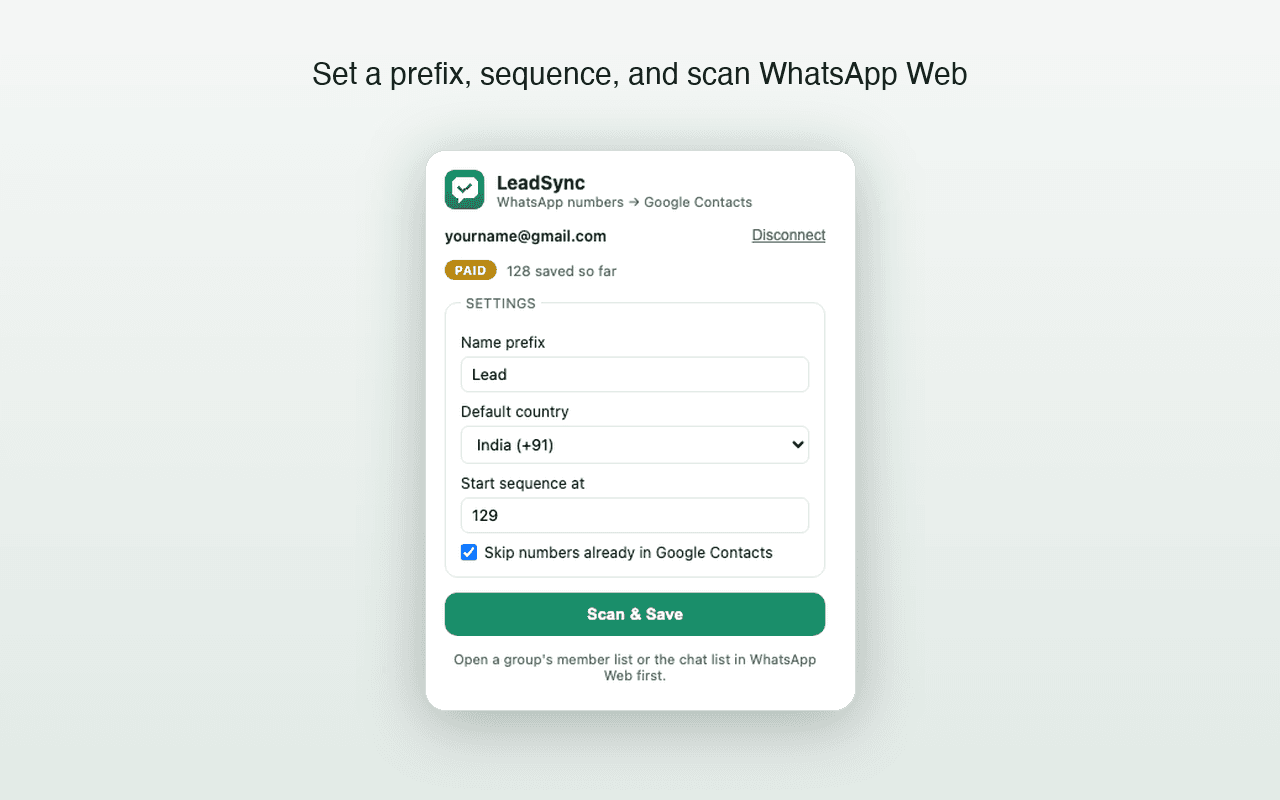
Set a naming prefix before you run
Group members arrive without names, so they need one. A prefix like the group's own name plus a sequence number —
Design Meetup 001,Design Meetup 002— keeps them findable and separable later. See the naming and formatting answers for the full behaviour. - 6
Run Scan & Save, and leave the list open
Numbers already in the connected Google account are skipped, so repeat runs on the same group do not create duplicates. Contacts are created in batches of up to 200.
- 7
Verify a sample in Google Contacts
Check the saved and skipped counts, then open Google Contacts and spot-check a few entries before running the next group.
Large groups, and what slows them down
Groups of a thousand or more participants are a rendering problem before they are a saving problem. Three limits are worth knowing in advance:
- Lazy rendering. WhatsApp Web only builds the part of the list you have scrolled to. A very long list takes real time to scroll through, and a scroll that jumps too fast can leave gaps.
- An eight-minute scan safety limit. LeadSync stops a scan after eight minutes rather than running indefinitely in a tab. Very large groups may need more than one pass, which is safe — the duplicate check means the second pass only adds what the first one missed.
- Google API behaviour. Contacts are created in batches of up to 200 through the People API. Google's own quotas and rate limits apply to your account, independent of LeadSync.
Cleaning up what you saved
Group saves are the messiest kind, because the same person often appears in several groups and may already exist in your address book under an older, differently formatted number. Two follow-up jobs are worth doing:
- 1Merge near-duplicates. Google Contacts' own merge suggestions catch most cases. Walk through the merge process if you are starting from a large messy list.
- 2Normalise the number format. Numbers saved without a country code will not work from abroad and often will not match on a later duplicate check. Country-code and formatting rules covers what to standardise on.
Free tool · no sign-up
Duplicate Phone Number Remover
Strip duplicates from a list of numbers — matching across formats, so the same number written two ways counts once.
When this is the wrong approach
Being plain about this saves everyone time:
- You want a spreadsheet of members. Use a file exporter. LeadSync has no CSV, Excel, vCard or JSON output and is not going to grow one.
- You want to message the group's members. LeadSync is read-only and never sends anything. For legitimate outreach at scale, the official WhatsApp Business API is the sanctioned route.
- You want numbers WhatsApp is hiding. Not possible, by anyone.
- You want the members in a CRM. LeadSync writes to Google Contacts only. Many CRMs can then import from Google Contacts, but that is a second step you would do yourself.
Try it on one group first
The first 35 contacts are free with no card, which is enough to run a real group and see exactly how many numbers it yields before deciding anything.
Frequently asked questions
Can I export a WhatsApp group's members to a spreadsheet?
Not with LeadSync — it creates Google Contacts directly and does not produce CSV, Excel or vCard files. If a spreadsheet is the goal, a file-export extension is the right tool. If a phone book is the goal, direct Google Contacts creation skips the download-and-import step entirely.
Why do some group members show a name instead of a number?
Because that person is already in your phone's contacts, so WhatsApp displays their saved name. WhatsApp Web never renders the underlying number in that case, and no browser extension can recover it. Those members are already saved, which is why their number is hidden.
Does the group need to be open while saving?
Yes. LeadSync reads what WhatsApp Web has rendered on screen, so the member list must be open and scrolled through. Closing the panel or navigating away mid-run ends the scan.
Is saving group members against WhatsApp's rules?
LeadSync only reads what WhatsApp Web already displays to you, and never sends messages. What matters legally is what you do next: messaging people who joined a group for another purpose is unsolicited contact and is the part that gets numbers reported. Save contacts because you need them in your address book, not to build a broadcast list.
Keep reading
High-volume guide
How to Bulk Save WhatsApp Contacts to Google Contacts
Verified limits, batching behavior, duplicate checks, and an honest answer about saving hundreds or 1,000 contacts.
Troubleshooting
WhatsApp Web Not Showing Phone Numbers? Here's Why
Names instead of numbers, blank member lists, numbers that vanish after a refresh — each cause and whether it can be fixed at all.
Contacts hygiene
How to Find and Merge Duplicate Google Contacts
Google's merge tool, the near-duplicates it misses, and how to stop new duplicates appearing after a bulk contact save.