Android
How to Save WhatsApp Contacts on Android (Without Typing Them)
By Ayaan Motiwala · Published · Updated · Editorial review required after material product changes
Android makes this easier than iPhone does, for one structural reason worth understanding before you start.
Why you cannot do this on the phone
People reasonably look for a bulk-save button inside the WhatsApp Android app first. It is not there, and it is not coming, for two reasons:
- WhatsApp has no multi-select save. You can save one chat's number at a time through the chat menu. There is no 'save all unknown numbers' anywhere in the app.
- Android sandboxes apps from each other. An app cannot read what another app has drawn on screen. The extension model that makes this possible on a desktop browser has no Android equivalent, so no third-party app can do it either.
So the workable route is the desktop one: do the saving where a browser extension can see the rendered list, and let Google sync carry the result to the phone.
The workflow, start to finish
- 1
Find out which Google account your phone syncs contacts from
On the phone, open Settings, then Passwords & accounts (named Accounts on some builds), and note the Google account with Contacts sync enabled. This is the account the contacts must be saved into, and getting it wrong is the most common reason nothing appears.
- 2
Open WhatsApp Web in Chrome on a desktop
Link it to your phone as usual. The phone needs to stay online for the session to mirror your chats.
- 3
Scroll the chat list from top to bottom
WhatsApp Web renders chats lazily, so anything you have not scrolled past is not in the page and cannot be read. This single step decides how many numbers a run finds.
- 4
Connect the same Google account in LeadSync
LeadSync writes through the official Google People API using your own sign-in. Connect the account you identified in step one, not whichever one the browser happens to be signed into.
- 5
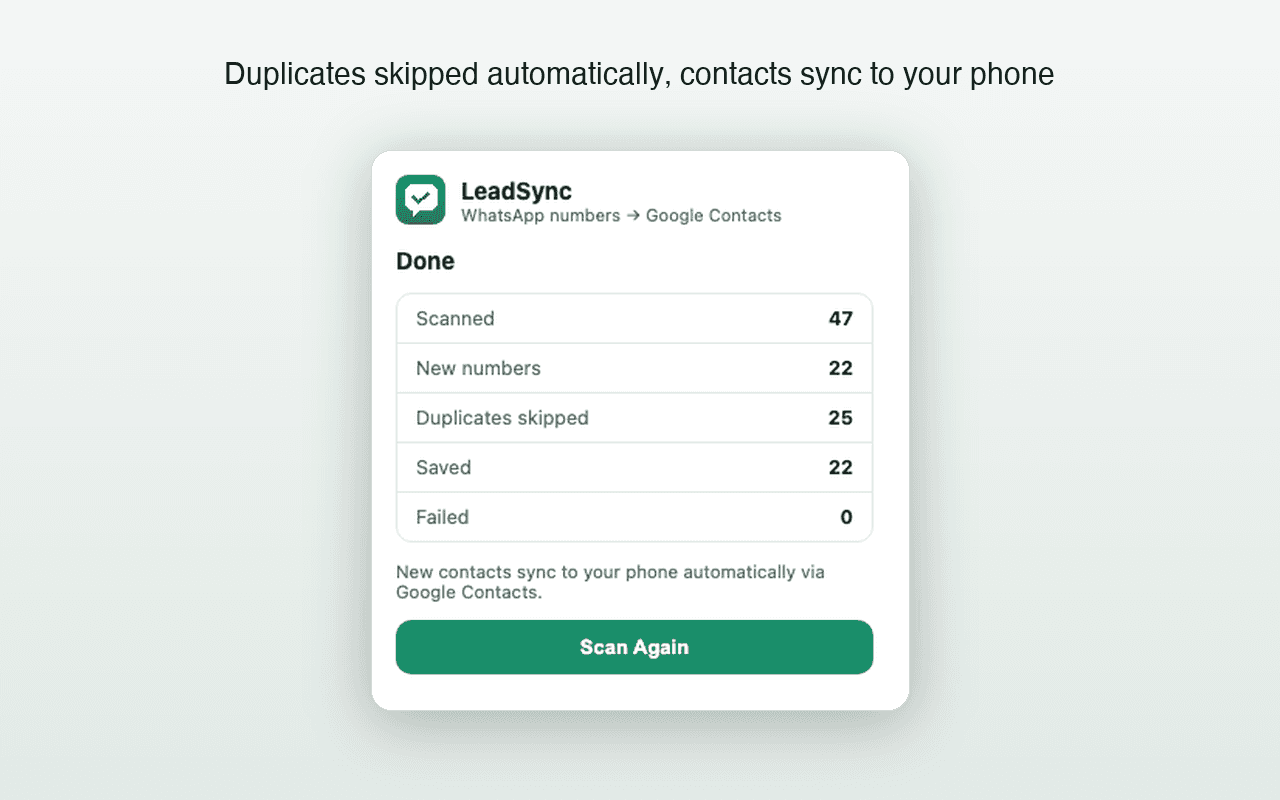
Set a naming prefix, then Scan & Save
Unknown numbers have no names, so a prefix plus a sequence number keeps them identifiable —
Lead 001,Lead 002. Numbers already in that Google account are skipped automatically. - 6
Let sync deliver them to the phone
Usually a few minutes. To force it, open Settings, Passwords & accounts, select the Google account, open Account sync and tap Sync now on Contacts.
- 7
Confirm in the Contacts app
Search for your prefix. If the contacts are in Google Contacts on the web but not on the phone, the problem is sync settings rather than the save — the checklist below covers it.
When contacts exist in Google but not on the phone
Work through these in order. The first two account for the large majority of cases:
- 1Contacts sync is off. Settings, Passwords & accounts, pick the Google account, Account sync, and check that Contacts is enabled. A toggle that is off means nothing will ever arrive.
- 2Wrong account. The contacts were saved to one Google account and the phone syncs a different one. Check both and re-run against the right one if needed.
- 3The Contacts app is filtered. Open the Contacts app's settings and look for a display or 'Contacts to display' option. If it is set to a SIM or device-only view, Google contacts are present but hidden.
- 4Battery optimisation is suspending sync. Settings, Apps, Contacts (and Google Play services), then allow unrestricted background activity. Aggressive battery management on some manufacturers' builds is a genuine cause here.
- 5Clear the Contacts cache. Settings, Apps, Contacts, Storage, Clear cache — not Clear data, which can remove device-only contacts. Then force a sync.
- 6Confirm on the web first. Open contacts.google.com in a browser. If the contacts are not there, the issue is the save, not the sync, and the troubleshooting guide goes deeper.
The device-and-SIM trap
Android can store a contact in three places: the Google account, the device itself, or the SIM card. Only the first syncs anywhere. Device and SIM contacts are invisible to Google Contacts, do not back up, and vanish with a factory reset or a lost SIM.
This matters for duplicate detection too: a saver checking Google Contacts cannot see a number that exists only on your SIM, so it will create a new Google contact for it. That is not a duplicate check failing — the two records are in different systems. Migrating device and SIM contacts into your Google account once removes the whole class of problem, and transferring contacts to a new phone covers how.
Save with country codes, or regret it later
Android will happily store 9876543210 with no country code. It works while you and the contact are in the same country and breaks the moment either of you is not, and it also defeats duplicate matching. Store every number in international format. The formatting rules per country.
Free tool · no sign-up
Phone Number Formatter
Clean up a messy list of numbers into proper international format, and see which ones look wrong.
Save once, and let Android sync do the rest
LeadSync writes new WhatsApp Web numbers into your Google account with country codes and duplicate checks. Your phone picks them up on its next sync. First 35 contacts free.
Frequently asked questions
Can I save WhatsApp contacts automatically on the Android app itself?
Not in bulk. The WhatsApp Android app has no multi-select contact-saving feature, and Android does not allow an app to read another app's rendered screen. Bulk saving has to happen on WhatsApp Web in a desktop browser, which then reaches the phone through Google contact sync.
Where does Android actually store contacts?
On most modern Android phones the Contacts app shows the contacts of the Google account you are signed into, held locally and kept in step by sync. Contacts can also live only on the device or only on a SIM, which is exactly why some entries never sync anywhere.
Why are new Google contacts not appearing on my Android phone?
The usual causes are Contacts sync being switched off for that account, the phone being signed into a different Google account than the one the contacts were saved to, battery optimisation suspending sync, or the Contacts app filtered to show only device contacts.
Do saved contacts show their names in WhatsApp afterwards?
Yes, once the contacts reach the phone. WhatsApp reads the device address book, so a previously unknown number starts showing the saved name — which is also why that number stops being visible as a raw number in your chat list.
Keep reading
Troubleshooting
Google Contacts Not Syncing After a WhatsApp Save?
A practical Android and iPhone checklist for contacts that exist in Google but have not appeared on the phone.
iPhone
How to Save WhatsApp Contacts on iPhone Without Typing Them
iOS needs one extra setup step Android does not. Here is the Google account route, the iCloud caveat, and what to check when nothing appears.
Migration
How to Transfer WhatsApp Contacts to a New Phone
Why WhatsApp has no contact list of its own, which contacts silently fail to move, and how to catch the unsaved numbers before you switch.